
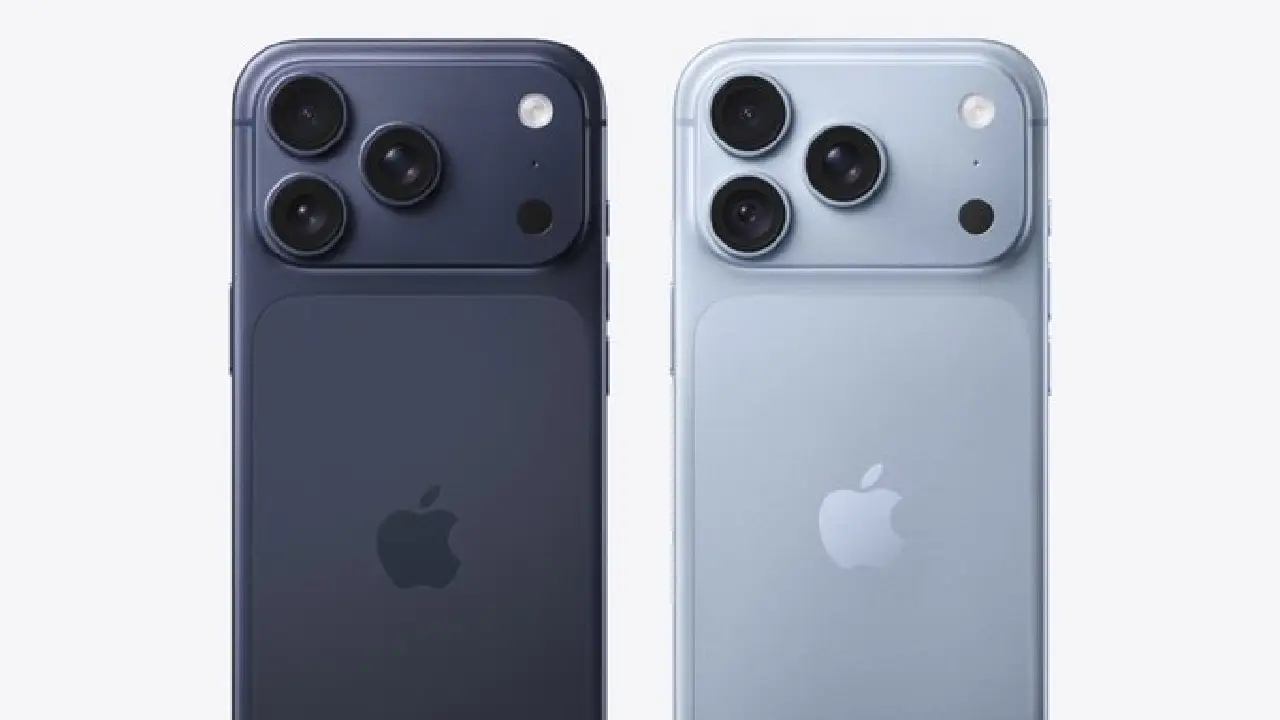
Should you upgrade from iPhone 17 Pro to iPhone 18 Pro? Our recommendation is to keep your current phone if it still handles your photos, apps and daily battery needs comfortably. Consider upgrading when you can identify a specific limitation, establish that the newer model addresses it, and justify the cost after any trade-in.
The most useful comparison is between the tasks you do today and what you would gain. A newer chip or an extra camera control is only valuable if you actually use it.
Research date: September 19, 2026. This AI-assisted buying guide uses Apple’s published information. It is not a hands-on review: we have not tested these phones side by side, measured battery endurance or produced independent benchmarks. Recommendations below are editorial judgments.
iPhone 18 Pro vs iPhone 17 Pro: key hardware differences
| Feature | iPhone 17 Pro | iPhone 18 Pro |
|---|---|---|
| Display | 6.3-inch; ProMotion up to 120Hz | 6.3-inch; ProMotion up to 120Hz |
| Chip | A19 Pro: 6-core CPU, 6-core GPU | A20 Pro: 6-core CPU, 7-core GPU |
| Rear cameras | 48MP Main, Ultra Wide and Telephoto | 48MP Main, Ultra Wide and Telephoto; variable aperture on Main |
| Storage choices | 256GB, 512GB, 1TB | 256GB, 512GB, 1TB, 2TB |
Sources: Apple’s iPhone 17 Pro announcement and iPhone 18 Pro technical specifications. Display measurements are nominal diagonal sizes; rounded corners reduce the viewable area.
Camera: decide which photographs you want to improve
Apple describes the iPhone 18 Pro Main camera’s variable aperture as adjusting automatically for lighting and depth of field, with manual adjustment available through Pro controls. The listed settings are f/1.48, f/1.8, f/2.8 and f/4. This feature applies to the Main camera. See Apple’s camera explanation.
That gives photography enthusiasts a specific feature to evaluate. It does not, by itself, establish how much better your photographs will look.
Before buying, choose three situations you regularly find difficult: perhaps a moving pet indoors, friends around a dinner table and a close-up product photograph. Look for comparisons showing those situations, rather than judging from unrelated images taken under different lighting.
Check whether reviewers disclose the lens, shooting mode and editing applied. A carefully lit promotional picture cannot tell you how reliably a camera captures your child moving across a dim room.
Our advice: upgrade for a demonstrated improvement in the photographs you care about. If you are already satisfied with your pictures and rarely adjust camera settings, keep the camera upgrade lower on your priority list.
Performance: measure the problem before paying to solve it
The chip change shown above is a hardware difference, not a measurement of your apps. An extra GPU core alone does not tell you how many seconds a video export will save or how smoothly a particular game will run.
Write down what feels slow on your current phone. If the answer is a particular video project, record its export time. If it is gaming, note the game, graphics settings and when performance becomes uncomfortable. Use that task when evaluating independent tests.
For messaging, browsing and occasional photographs, our recommendation is to upgrade only when you have a noticeable problem. Do not assign a financial value to a performance improvement you cannot identify in your own use.
Battery: compare your day, not a Pro Max headline
Apple lists up to 36 hours of video playback for iPhone 18 Pro and up to 45 hours for iPhone 18 Pro Max. These are manufacturer figures for different devices, not guaranteed mixed-use endurance. Source: Apple’s power and battery specifications.
If your current phone needs an inconvenient afternoon charge, record when that happens and what you were doing. A travel day using navigation is a different comparison from an evening watching downloaded video.
Before replacing the entire phone for a battery concern, request a battery-service assessment and quote. Compare that quote with the full upgrade cost. This is especially useful when battery endurance is your only complaint.
Calculate the real cost of upgrading
Use the checkout price for the exact storage capacity you want. Obtain a current trade-in or resale estimate for your phone’s condition instead of relying on a headline offer.
Net upgrade cost = new phone price + taxes and required fees + accessories you need − trade-in or resale proceeds.
For illustration only, a $1,250 purchase total minus $600 in sale proceeds leaves a $650 upgrade cost. Keeping the replacement for 24 months makes that about $27.08 per month. These are hypothetical numbers, not current prices or trade-in quotes.
If an offer requires a different mobile plan, add its extra cost over the commitment period. Read when credits arrive and what happens if you leave early. Compare the complete expense with buying outright using your existing plan.
Check Apple’s current buying page for your selected configuration; prices and offers can change.
Who should keep the iPhone 17 Pro?
- Your phone comfortably handles your usual apps and photographs.
- You cannot identify a recurring problem the upgrade would solve.
- A service assessment suggests a less expensive fix for your main concern.
- The upgrade would stretch your budget for a benefit you rarely use.
Who should consider the iPhone 18 Pro?
- You want its camera controls and have seen relevant sample comparisons that justify the expense.
- Your demanding workflow has a measurable limitation, and credible testing shows an improvement that matters to you.
- You need a different storage capacity and have compared upgrading with managing or offloading existing files.
- Your current phone needs substantial repair, making replacement worth evaluating.